
Vivepad
Model code: VPC02
Setup
First measurement in six steps.
Download the app
Charge
Fully charge before first use. Plug in the USB-C cable; when the entire ring ripples green, the battery is full. Up to 2.5 hours to 100% with fast charging. No adapter in the box; any 5 V USB adapter works.
Switch on
Press the button once, briefly. When the ring starts rotating in rainbow colors, VivePad is ready. Press briefly again to switch off.
Get ViveLab
On your phone, tablet or computer: iPhone, iPad, Android, macOS, Windows. Allow Bluetooth when asked.
Connect and register
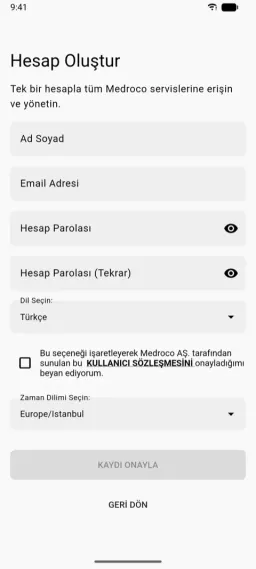
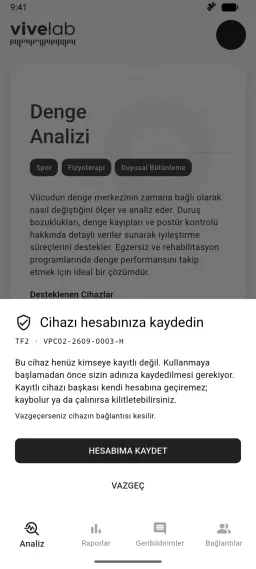
Sign in with your Medroco One account and select VivePad from the list. For personal use, “Register to my account”; for an organization, “Register to my organization”. The connection stays only once registration is complete.
Step on
Leave the platform empty first; VivePad zeroes itself. Then step onto the center, facing the logo. Stand still for a few seconds while it measures your body weight.
Measure
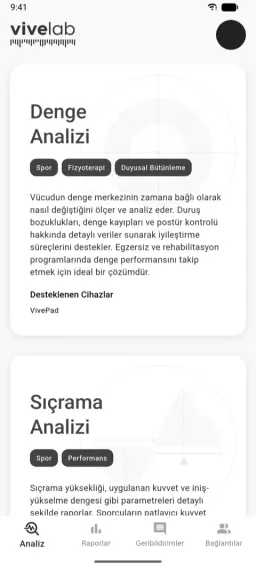
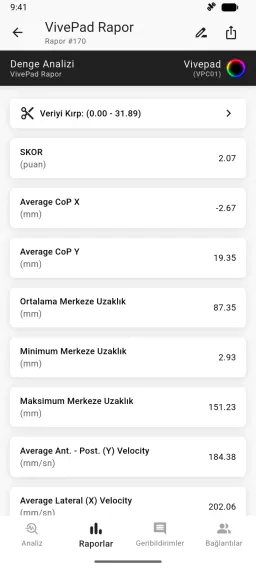
Choose Balance, Stability or Jump Analysis. Every measurement becomes a scored report in your Medroco One account.


Documents
Download the user manual, declaration of conformity and other documents. Documents apply to every device of this model.
Software
Current software version: 2.3.24
Support and legal information
Service request
For service and warranty requests, send a service request or write to info@medroco.com with your serial number.
Manufacturer
- Legal Name
- Medroco Medikal Robotik A.Ş.
- Registered Address
- Orta Mah. Kavaklar Cad. No:15 Ofisada Plaza, Adapazarı/SAKARYA
- MERSİS No
- 0614145362600001
- info@medroco.com